

I’m a little bit of a gamer myself, so I understand the itch to make gaming spaces look great. But at what cost?
A complete makeover where you knock down walls, install expensive architectural lighting, and turn the ceiling into a spaceship cockpit (that actually sounds exciting)?
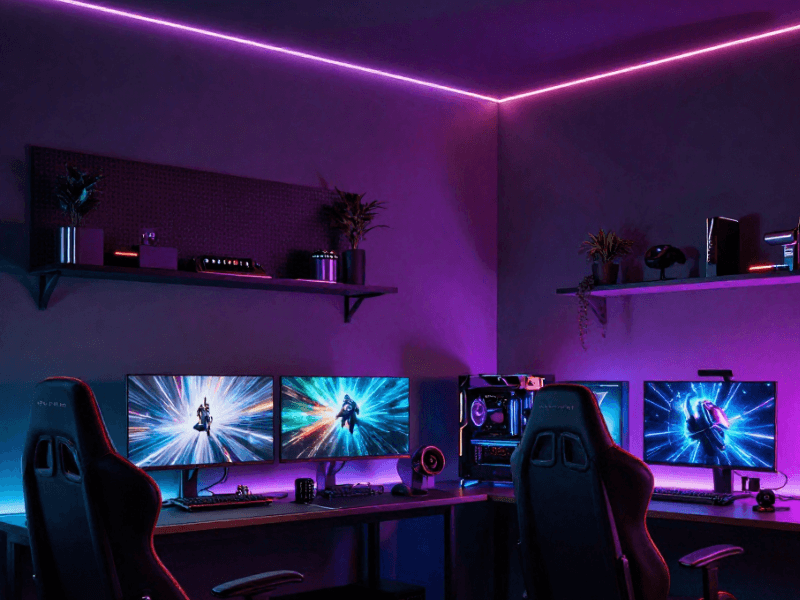
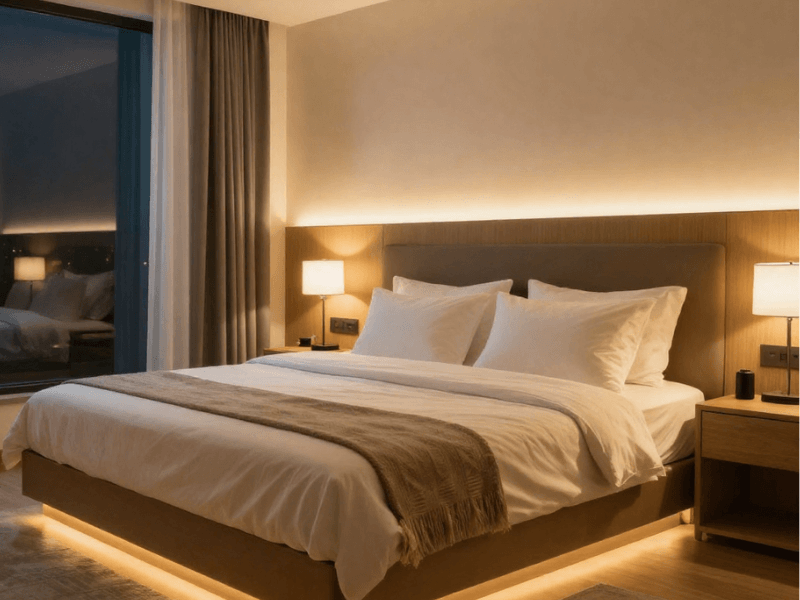
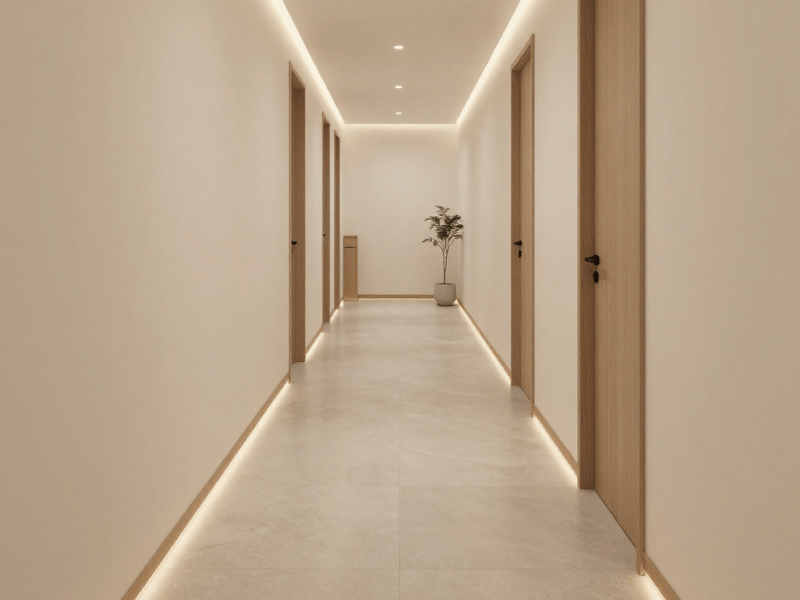
But luckily, a gaming room makeover doesn’t need to be a total renovation. All you need are well-placed LED strip lights, and you can transform your gaming room from noob to pro-gamer levels.
You can simply tuck the strips behind a desk, underneath a shelf, or around a feature wall, and they’ll add colour, depth, and atmosphere.
The trick is knowing where to put the light.
This is the literal game-changer when it comes to lighting your gaming room: do not think of the room as one whole space. Rather, think of it as a collection of lighting zones.
-
Where do you actually play?
-
Which area do you want to draw attention to?
-
Where would a soft ambient glow work best?
-
Which parts are purely decorative?
-
Where would an RGB colour-changing effect actually have an impact?
This will help you approach your lighting differently, rather than just simply installing a single LED strip around the room.
Let’s kick this off where most gaming setups begin: the desk.
Start With Your Gaming Desk: The Main Lighting Zone
All gamers will tell you that the most important part of any gaming room is the desk. It is where the monitor, PC, TV, consoles, and other hardware are generally collected.
So, it only makes sense for the lighting scheme to start here too.
1. Add LED Strips Behind Your Gaming Desk
Grab an LED strip and mount it on the back side of your desk. That’s one of the simplest upgrades you can make.
The strip shines towards the wall rather than towards you, creating an ambient wash of light behind the setup. RGB strips work particularly well here because you can change the colour to suit your setup.
You might use blue or purple during a gaming session, switch to a softer colour for film viewing, or simply dim the lighting when you want less visual distraction.
Using an aluminium profile with a diffuser helps with creating a clean finish while also protecting the strips from external elements.
2. Add Under-Desk LED Lighting
If you’ve got your rig under the desk, you might want to shine a light on it so you and friends who come visit can appreciate it.
Mount the strip underneath the desk so the LEDs point towards the floor rather than directly into the room. The resulting glow doesn’t just highlight your monster PC or console but can also create a floating-desk effect.
The caveat? You really need to work on your cable management. Otherwise, spaghetti wires will be the first thing anyone notices. I don’t think anyone will buy the “That’s part of the decor” excuse.
Don’t forget brightness. You don’t want it to be overly bright, unless you want your desk to look like it’s taking off. A low-level ambient glow usually works better.
3. Create a Backlit Monitor Setup
If your eyes hurt after long gaming sessions, that’s probably because you do not have backlighting (or bias lighting) for your monitor or TV.
That’s right! Simply sticking LED strip lights behind the monitor and creating a soft glow against the wall can greatly help reduce eye strain, especially in darker gaming rooms.
The key word here is indirect. So make sure only the wall is illuminated. Also avoid overly bright backlighting; otherwise, it defeats its purpose and creates glare instead.
You can keep it simple with warm or natural white light, or match the monitor lighting to the desk or PC lighting for a more “connected” feel.
4. Outline the Desk With LED Strip Lighting
You can also use LED strips along selected desk edges for a Tron-like vibe. This outlines the shape of your setup, but not every single edge needs lighting. In fact, outlining everything can sometimes make the result look unnecessarily busy.
Choose one or two areas that benefit from emphasis. A rear edge, lower lip, or particular corner may be enough to create the effect you want.
Sometimes good design comes from a little restraint. Don’t you think so?
Make the PC Setup Part of the Lighting Design
Instead of the desk, another way you can transform the gaming corner is to add lights to the rig itself.
5. Backlight the PC Tower
Sure, most modern PCs have RGB lighting inside from fans and RAM sticks… but what about the outside? Particularly from the back.
That’s right. Add an LED strip light for a subtle glow behind or around the PC tower, and it'll stand out even more. Aim for the light to bounce off nearby surfaces for a more atmospheric effect.
Remember to make changes only where appropriate, and always follow the manufacturer's guidance. There’s no in-game achievement for accidentally frying your PC.
6. Light Up a PC Desk Shelf
If you have a monitor or equipment shelf above your desk, it is practically asking for a strip light underneath it.
A downward-facing LED strip can illuminate the desk surface without taking up additional space. Choose RGB lighting for a more versatile setup, and maximise diffusion for a smoother lighting effect.
If the strip will be visible, Chip-on-Board (COB) LED strips are a great option since they don’t have visible LED “dots”.
7. Create a Matching RGB Colour Scheme
Which do you think is better?
-
Your PC, desk, and wall lights display different random colours.
-
Your whole room has a simple palette: one dominant colour, a secondary accent, and natural white when you need more conventional illumination.
Hopefully you chose B. The idea is to use complementary colours. For example, blue might be the main colour, with purple used as an accent and white lighting available for general tasks.
Check the colour wheel to help guide you when choosing your preferred palette.
Gaming Room Wall LED Strip Ideas
Now that you’ve got your desk and rig figured out, it’s time to go higher: the walls.
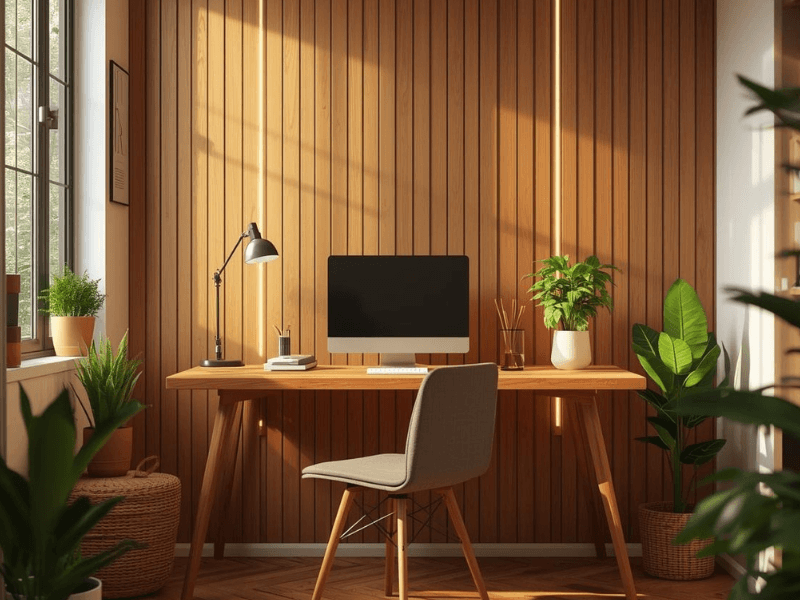
8. Create a Backlit Gaming Feature Wall
If your gaming room has acoustic panels, slatted panels, decorative panels or gaming-themed wall features, consider placing LED strips behind them.
The strip does not have to be visible. In fact, hiding it is often the point. They’re thin and easy to insert.
Light spilling from behind the panel can create depth and make the wall feature look more amazing.
9. Outline Wall Panels With RGB LEDs
LED strips can also follow the shape of individual wall panels or geometric features.
Try to keep spacing consistent unless it’s part of the design. Otherwise, the whole thing will look and feel unbalanced.
Also, try to conceal the strip where possible so the lighting follows the shape rather than drawing attention to the LEDs themselves.
Remember that the cleaner the installation, the better the result.
10. Create Vertical Lines of Light
Your gaming room doesn’t need another horizontal strip.
Add a more structured, architectural feel to your setup by installing vertical lines of light. Some ideas for where to place them:
-
Either side of the desk
-
Behind shelving
-
Between wall panels
-
Along a feature wall
Vertical lines draw the eye upward, creating the illusion of more space.
11. Backlight Gaming Signs and Wall Art
Got your own logo, printed gamer tag, or poster that deserves a little extra attention?
Try placing LED strips behind it and watch it go from cool to awesome instantly.
The light creates a halo around the edges, making the object stand out from the wall. Use RGB effects when you want the sign to match the wider gaming room colour scheme.

Gaming Room Shelf and Display Lighting Ideas
What’s a gaming room without little trinkets of our favourite games and characters? This makes shelving another excellent lighting zone.
12. Illuminate Display Shelves
Install LED strips under individual shelves to highlight what is displayed below.
Depending on where you install the lights, the effect will be different.
-
Positioning the strip towards the front can illuminate the objects more directly.
-
Positioning it further back can create a softer glow.
Conceal cables… obviously. And consider a diffuser if the LEDs are visible from normal viewing angles.
13. Backlight Gaming Collectables
If you’ve got larger figures, place the lights behind the item, not directly above it. This creates a subtle background glow (kind of like an aura) that separates the object from the wall behind it.
Keep the brightness controlled.
14. Light a Display Cabinet
LED strips can also be installed inside display cabinets.
But first, consider how the doors and shelves affect the lighting, and plan your cable routing.
White lighting can help show the item's true colours. You can use LED strips with a high colour rendering index (CRI) rating to achieve this.
For a more decorative lighting effect, you can use RGB strips to make the cabinet adapt to the room’s current mood or vibe.
Ceiling and Room-Perimeter Gaming LED Ideas
Now it’s time to look up.
15. Create an RGB Ceiling Perimeter
This is probably one of the most common ways to use LED strips in any room. Running LED strips around the ceiling perimeter can create a broad ambient glow.
We suggest concealing the strip so the light washes across the ceiling rather than exposing the individual LED dots. But if you prefer a recessed installation, or it's the only option, aluminium profiles with diffusers can help keep the installation clean.
If you’re adding dimming controls, make sure the strips, drivers, dimmers or controllers, and other components are compatible.
16. Add LED Strips Behind Coving
Ceiling coving practically screams for LED strip lights to be installed in them. They’re perfect hiding spots for LED strips, as they still allow soft light to wash across the ceiling.
Depending on the installation, a suitable profile or diffuser can help produce a cleaner lighting effect.
17. Create a Floating Ceiling Effect
Combine your concealed perimeter lighting with contrasting wall colours or a darker ceiling. This creates an “infinite space” illusion that “lifts” your ceiling.
Tip: Use flat or matte paint on the dark ceiling, as glossy paint will catch LED imperfections and reflect their dots, breaking the illusion. Light placement is also important, so plan your layout first.
Floor-Level and Furniture LED Strip Ideas
There is no rule saying gaming room lighting has to live above eye level.
18. Add LED Strips Under Gaming Furniture
Try adding strips underneath a TV unit, desk, cabinet or storage unit.
You’ll be shocked to find out that low-level illumination introduces another layer of light without relying entirely on overhead fixtures. Add lights with the same colour and brightness to different furniture to connect them visually.
19. Create a Floating Gaming Setup
Combine under-desk, under-cabinet, and other low-level lighting to create a floating effect for your whole setup.
The trick here is consistency. Matching the colour and keeping brightness levels reasonably balanced can make separate pieces of furniture feel like parts of one lighting scheme.
20. Add Lighting Behind the Gaming Chair or Seating Area
If the back of your gaming chair or seating area faces the wall, adding a strip behind the chair can create a subtle glow against the wall.
This is one effective way to create atmosphere in the space. Just make sure the light doesn’t shine directly into anyone’s eyes to prevent glare. This is best if you have a full wall behind the chair.
Choose the Right LED Strip for Your Gaming Room
RGB LED Strip Lights for Colour-Changing Effects
RGB lights are the gamer’s natural choice for gaming setups, not only because they look cool but because they can provide changing colours and different lighting scenes that fit any gamer's taste.
With a compatible controller, you can select colours, adjust brightness, and create decorative effects suited to different moments.
RGBW LED Strip Lights for More Lighting Flexibility
Did you think RGB lights were amazing? Wait until you try an RGBW LED strip light. It has a separate white-light channel alongside the colour options, which helps create more vibrant colours.
And if you want more conventional white illumination for other activities, these strips can provide true white light. A step up from RGB strips’ white light, which is just a mix of the red, green, and blue colours.
COB LED Strip Lights for a Smoother Light Line
These strips can provide a more continuous-looking line of light than conventional LED strips, which have their signature LED “dots”.
For installations where the LED strip will be visible, such as in shelves, feature walls, and desk installations, these COB strips can help you achieve a clean, consistent look.
This does not entirely eliminate the need for aluminium profiles, though, as even the slightest warp can be visible, especially when the strips are illuminated. For a more professional-looking finish, a profile is still recommended.
Choose the Correct Brightness
When looking for the best lighting, going for the brightest option isn’t always the smartest move.
Consider whether the strip will be installed for direct or indirect lighting, how large the room is, how close you'll be to the LEDs, and whether the lighting is decorative or functional.
Dimming can be especially useful, as your lights may need to adapt to different activities at different times.

How to Make Gaming Room LED Strips Look More Professional
You don’t just slap LED strip lights around the room and call it a day. Here are some tips to turn a decent gaming setup into a truly polished one.
Hide the Individual LEDs
Let’s be honest here. Visible LED diodes on LED strip lights aren’t all that pretty. They make an otherwise great installation look less refined and are a main source of glare, especially when they’re installed close to eye level.
The best options for hiding them are indirect mounting, aluminium profiles, and diffusers. If it really can’t be helped, COB LED strips can create a smoother appearance for visible installations.
Use Aluminium Profiles for Clean Lines
LED profiles can help create straight lines of light for a more professional-looking illumination. There are different types you can use:
-
Surface-mounted profiles are useful for quicker installation and where you don’t mind the protrusion.
-
Recessed options can create a more “built-in” look as the lights are flush with the surface.
Keep Your Cables Hidden
As with your PC or console setup, visible dangling wires aren’t eye candy for any lighting installation.
For better cable management, plan cable routes before installing the strips. Run cables neatly behind desks, along furniture, or through suitable cable-management systems. Also pay particular attention to corners and connection points, where loose cables tend to become conspicuous.
Warning! Do not conceal electrical cables in ways that could damage them or prevent access to them for servicing or replacement.
Don't Use RGB Everywhere
I know it’s tempting. But don’t.
Using RGB lighting in every corner can quickly make a room feel visually crowded. Here’s what to do instead:
-
Choose a primary colour
-
Add a few accent zones
-
Leave some areas neutral
You can also have different brightness levels to separate zones. For example, you can make your desk bright, while your shelves and furniture provide softer supporting light.
How to Create Different Gaming Room Lighting Scenes
The beauty of having controllable RGB/RGBW lighting? You do not have to keep the same colour running all evening, all week long.
Competitive Gaming Scene
For competitive gaming sessions, you want fewer distractions as possible. Use controlled brightness for your lights and keep the effects to a minimum so they don't start competing for your attention too.
Streaming Scene
If you’re streaming, think about how your lighting works in relation to your camera and the environment it’s recording. Background lighting can add atmosphere while still leaving the main focus where you want it.
Chill Gaming Scene
Lower-intensity ambient lighting can create a softer atmosphere for relaxed gaming. Reduce brightness and use a less intense colour combination to complete the vibe.
Movie or Console Gaming Scene
If your setup includes a TV, use bias lighting around the screen and indirect lighting for the media unit or nearby wall. This keeps the room from relying entirely on the TV as its only light source. Your eyes will thank you, too.
Showcase Scene
Want to show off the hardware and collectables? Increase the accent lighting around your display shelves, PC, and other feature areas. You deserve to flaunt a little too. And, hey, if not for others, then do it for you.
How to Power and Control Your Gaming Room LED Strips
RGB lighting is great and all, but that doesn’t change the fact that you have to get one of the most important things right during installation: the electrical side.
Calculate the Total Power Requirement
You’ll often see LED strip lights’ consumption indicated in Watts per metre. That doesn’t mean it’s the total power draw of the whole run.
There’s a simple formula to get it:
Watts per metre x total LED strip length = total LED load
For example, if a strip uses 10 watts per metre and you install 5 metres, the LED load is 50 watts. (10 x 5 = 50)
Your driver should then be rated for at least 50 watts. But that doesn’t mean that all 50-watt drivers will do!
You’ll have to consider other system/electrical requirements.
Choose the Correct Voltage
The LED strip and driver need to be compatible. Common low-voltage strip systems include 12V and 24V, but always check the requirements of the specific product you are using.
If your LED strip operates on 12V, only use a 12V driver. The same applies to 24V strips. Never mix different voltages!
Choose a Compatible Controller
The controller you’re going to use doesn’t just need to be compatible with the LED strip but also with the driver. Compatibility ensures proper function.
Depending on your choice of control, this might include remote control, wireless or smart control, colour selection, and dimming.
Always check product compatibility rather than assuming every RGB strip and controller will work together.

Photo by Andrey Stakhovskiy on Unsplash
Common Gaming Room LED Strip Mistakes
Using Too Many Colours at Once
Just because you can doesn’t mean you should. Several unrelated colours competing for attention does not make your gaming room look appealing. In fact, it’s the other way around.
Have a coordinated palette instead. Check the colour wheel for complementary colours if you’re not sure which goes together.
Making the LEDs Too Bright
Ambient lighting and task lighting are peas in different pods. You do not necessarily need maximum brightness for every LED strip you install, especially for decorative lighting.
Installing LEDs Where the Diodes Are Always Visible
Standard LED strips are shy. They work best when you can’t directly see them. If they end up visible, consider moving them or using LED profiles with diffusers to disperse the visible “dots”.
COB LED strips can also be useful for creating a smoother line.
Forgetting About Power Requirements
Proper power planning is required, especially if you’re installing longer LED strips. Calculate the total load before buying your driver and other components. 24V strips are a better choice for longer installations since they’re less prone to voltage drops than 12V tapes.
Using the Wrong Driver
Make sure you know how to choose the correct wattage capacity of your driver. Also check the voltage, driver type, and compatibility with the controller before installation.
Getting any of these wrong is the reasons why LED strip lights flicker and eventually stops working altogether.
You can consider using the wrong driver a “capital sin” in LED strip lighting. You should never get this wrong.
Installing Everything Before Testing It
Before permanently securing or concealing the strip and cables, make sure everything is working properly. It’s easier to troubleshoot now that everything is still accessible than to remove everything again later.
Gaming Room LED Strip Ideas by Setup Type
Minimalist Gaming Setup
Keep things simple with a backlit desk, monitor backlighting, one wall feature, and a limited RGB colour palette.
RGB Gaming Room
Here’s a simple mix you can try: RGB desk lighting complemented by ceiling perimeter lighting, illuminated wall panels, and shelf lighting. Use a compatible RGB controller to ensure proper performance.
Gaming and Streaming Room
Balance decorative lighting with an environment that works well for camera-based content. This means not every background element needs to glow. Otherwise, all you’ll get is camera glare and overexposed results.
Console Gaming Room
If you’re more of a console gamer, focus on TV backlighting and complement it with media-unit lighting, display shelves, and ambient wall lighting.
Make sure the LED strips behind the TV and your gaming setup are particularly effective when the light source isn't visible.
Small Gaming Room
Focus on vertical surfaces and concealed lighting to make your room feel more spacious. For low-ceiling rooms, vertical lines draw the eyes upward, giving a sense of added height.
Remember that a few well-placed zones can have more impact than dozens of visible strips.
Gaming Room LED Strip Lighting Checklist
Before buying any component, run through this quick checklist:
Planning
-
Decide which lighting zones you want.
-
Measure each installation area.
-
Decide whether the LEDs will be visible or concealed.
Product Selection
-
Choose RGB, RGBW, COB or single-colour LED tape.
-
Check the LED strip voltage.
-
Check watts per metre.
-
Choose suitable profiles and diffusers.
Electrical
-
Calculate the total LED load.
-
Select a compatible driver.
-
Check controller compatibility.
-
Plan cable routes.
Installation
-
Test the system before final installation.
-
Secure the LED strip correctly.
-
Check the finished lighting from your normal gaming position.
-
Adjust brightness and colour.

Final Thoughts: Build Your Gaming Room Lighting Around Your Setup
The best gaming room doesn’t need to be as bright as an arcade that’s drowning in random blinking lights. What it needs is a well-thought-out lighting layout that brings out the best from the space.
Start with the gaming desk and build outward.
Add monitor and PC backlighting, then use walls and shelving for feature lighting. From there, ceiling perimeter or floor-level lighting can add another layer where it genuinely benefits the room.
Most importantly, think in zones. Don’t treat the room as one single space.
Choose the space that gets the most attention, hence the most light, and keep the others as support lighting. This way, you get a more layered approach to your lighting rather than having a single glow illuminating your space.
Use LED profiles and diffusers whenever the strips are installed in visible locations. But when you can, indirect lighting almost always does the job.
Ready to level up your space?
Explore Simple Lighting's range of LED strip lights, RGB and RGBW options, controllers, aluminium profiles and compatible drivers to start creating a setup that works around the way you actually game.


0 comments