








Smart lighting sounds brilliant until you imagine electricians, new cables, and holes in your freshly painted walls. Suddenly, reaching for the light switch doesn't seem so inconvenient.
Fortunately, smart lighting without rewiring is easier than you might think. Many smart bulbs, plug-in accessories, and compatible LED systems work with your existing electrical setup.
You can control lights from your phone, create automatic schedules, or adjust brightness without replacing every fitting. Some upgrades take minutes, while others need a little planning.
The trick is choosing the right controls for the lights you already have. Here are seven ways to upgrade, including what works best in each room and when you need professional installation.
Can You Make Your Existing Lights Smart Without Rewiring?
Yes, you can often make existing lights smart without changing your home's electrical wiring. However, the right approach depends on your fittings, available power sources, and preferred controls.
Some upgrades involve replacing a bulb, while others use accessories connected to existing sockets. The important thing is understanding what needs changing and what can stay.
What Does Smart Lighting Without Rewiring Actually Mean?
It means adding smarter lighting controls without altering your home's fixed electrical circuits. Depending on your setup, there are three main approaches:
- Keep your existing fittings. Replace ordinary bulbs with compatible smart bulbs offering app control, dimming, or colour adjustments.
- Keep your existing circuits. Add plug-in lighting, smart plugs, or compatible wireless accessories without changing fixed wiring.
- Upgrade existing equipment. Add suitable smart controllers to LED strips already installed in your home.
What Can You Keep, and What Might Need Changing?
You can often leave your ceiling fittings, lamp holders, and existing circuits untouched. You might only need new bulbs, plug-in accessories, or compatible controllers.
However, not every smart product is suitable for DIY installation. Mains-connected switches and dimmers may require a neutral wire, circuit checks or professional electrical work.
The goal is to avoid unnecessary rewiring, not to turn every electrical job into a weekend experiment.

7 Ways to Upgrade to Smart Lighting Without Rewiring
Want smarter lighting without drilling holes in perfectly good walls? These seven options offer different levels of control, convenience, and installation effort.
1. Replace Existing Bulbs with Smart Bulbs
Replacing ordinary bulbs with smart bulbs is one of the simplest upgrades. Compatible models fit existing lamp holders and connect through a supported app or smart-home system.
Depending on the model, you can improve brightness, switch between white tones, or select different colours. Some also work with voice assistants, letting you control them hands-free.
Smart bulbs suit bedrooms, living rooms, table lamps, and compatible ceiling fittings. They're especially useful when you want more than basic switching without changing the fitting.
Before buying, check the bulb cap, dimensions, brightness, and connectivity requirements. Common UK cap types include B22, E27, E14, and GU10.
There's one important catch: smart bulbs generally need continuous power for remote operation. If you switch them off at the wall, app control usually stops until you restore power.
2. Make Ordinary Plug-In Lamps Smarter
Already have a perfectly good bedside lamp? A compatible smart plug lets you switch it remotely without replacing the bulb or changing any wiring.
Plug the device into a socket, then connect your lamp and follow the setup instructions. You can switch the lamp remotely or create schedules through the supported app.
For example, schedule your reading lamp to switch on every evening. Set another routine to turn it off when you usually head to bed.
Smart plugs are useful for bedside lamps, reading corners, and rented properties. However, your lamp must be able to resume operating when power returns.
Most smart plugs offer basic on/off control rather than brightness adjustments. Check whether dimming is supported before buying, and never assume every lamp will work with it.
3. Install Plug-In Smart LED Strip Lights
Want better lighting beneath kitchen cabinets or a softer glow behind your television? Installing new LED strip lights can improve these spaces without touching the main lighting circuit.
Consider plug-in LED strip kits that include a suitable power supply. Choose an app-compatible kit or controller for smart features.
For example, add strips beneath kitchen cabinets while keeping your existing ceiling lights. You'll gain another lighting layer without changing the wiring above.
Before installation, measure the area and identify a suitable socket. Consider where the driver and cables will sit, especially around visible shelves or worktops.
Nobody wants beautiful lighting ruined by a collection of dangling wires. Suitable profiles and cable-management accessories can keep everything tidy.
For app-based features, read our guide on controlling LED strips with an app or voice assistant.
4. Use Wireless Switches and Remote Controls
Prefer pressing a button instead of searching for your phone? Wireless switches and remotes let you operate supported lighting without installing another wired wall switch.
Battery-powered controls can sit beside your bed, near entrances, or wherever they're most convenient. Handheld remotes also make it easier to adjust compatible lights from your sofa.
Depending on the system, you can switch lights, dim them or select preset scenes. Some controls operate directly, while others require a compatible receiver or hub.
However, wireless switches don't automatically make ordinary ceiling lights smart. The connected bulb, receiver, or controller must support your chosen system.
Check compatibility and battery requirements before buying. Otherwise, that convenient new switch could become another decorative object on your wall.
5. Add Motion Sensors for Automatic Lighting
Motion sensors turn lights on whenever they detect movement. They're particularly useful in hallways, staircases, cupboards, and utility rooms.
Battery-powered sensor lights offer an easy option where sockets aren't available. Plug-in systems and compatible wireless sensors can also trigger supported lighting.
For example, a hallway light could turn on when someone approaches and turn off shortly after. That means you won't have to search for switches when your hands are full.
Placement matters because poorly positioned sensors can miss movement or activate unnecessarily. Check detection range, activation time, and compatibility before installing.
Our guide to automatic lighting for DIY homes explores more practical options.
6. Make Your Existing LED Strips Smart
Already installed LED strips but still use a basic remote? A compatible smart controller can add new features without replacing the strips.
Depending on the controller, you could gain app control, voice commands, or automatic schedules. However, the equipment must match your existing installation.
Start by checking the strip's voltage, usually 12V or 24V. Identify whether it's single-colour, tunable-white, RGB, or another type.
Next, check the driver, connectors, and controller requirements. Some replacements are simple plug-and-play, while others require wiring that a professional should handle.
Not every controller supports every colour mode or smart-home platform. Check the specifications before ordering parts that might never work together. Here's our beginner-friendly guide, too, if you want to learn more.
7. Automate Your Lighting with Timers, Scenes and Routines
Once your lights have compatible smart controls, you can organise them around your daily routine. This makes lighting more convenient without constantly opening an app.
Here are four useful examples:
- Evening routine. Switch on selected living room lamps and dim compatible bulbs for a relaxed atmosphere.
- Bedtime routine. Turn off selected lights automatically when you're ready to sleep.
- Away routine. Schedule certain lamps to turn on and off at set times when no one's home.
- Morning routine. Switch on bedroom lighting before your usual wake-up time.
Some systems can control multiple lights together, while others only offer basic timers. More advanced functions may require a compatible hub, app, or reliable network connection.
Five smart devices that refuse to communicate? Not exactly the upgrade you planned.

Which Smart Lighting Upgrade Is Best for Each Room?
Different rooms have different lighting problems, so one solution won't necessarily suit your entire home. Start with what you want to improve rather than buying every available gadget.
Living Room: Flexible Lighting for Relaxing and Entertaining
Your main ceiling light might work well for cleaning but feel too bright for film nights. Separately controlled lamps and accent lighting can create a more comfortable atmosphere.
Try combining a smart table lamp with subtle lighting behind your television. Explore our living room lighting range for suitable fittings and ideas.
Kitchen: Useful Light Without a Full Renovation
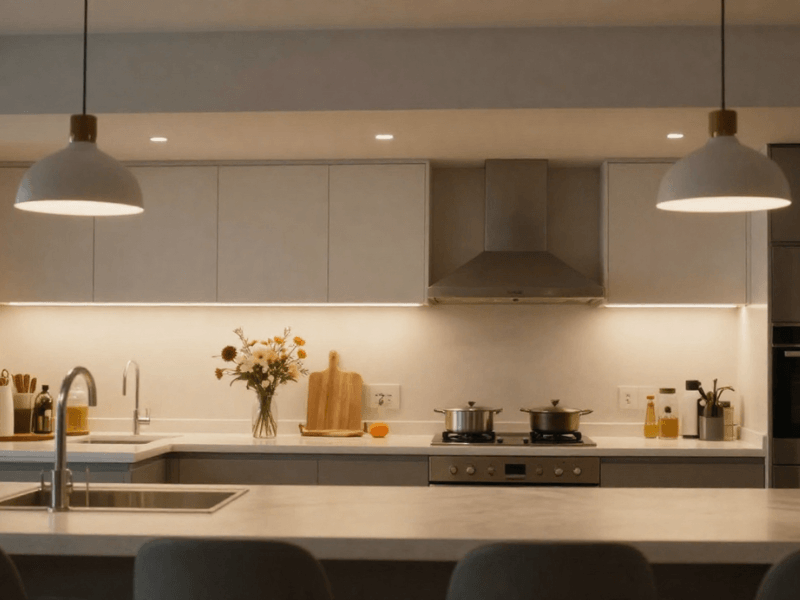
Ceiling lights can illuminate a kitchen while leaving worktops in shadow. Wall cabinets are particularly good at blocking light exactly where you need it.
Install suitable LED strips beneath the cabinets for more focused illumination. Choose adequate brightness and practical white lighting for food preparation, rather than relying on decorative colour effects.
Bedroom: Convenient Controls and Bedtime Routines
Getting out of a warm bed to switch off the light feels unnecessarily cruel. A smart bedside lamp or compatible wireless control can solve that problem.
You could also schedule your lights to dim before bedtime. Choose a warm white setting to create a softer evening atmosphere.
Hallways and Stairs: Hands-Free Illumination
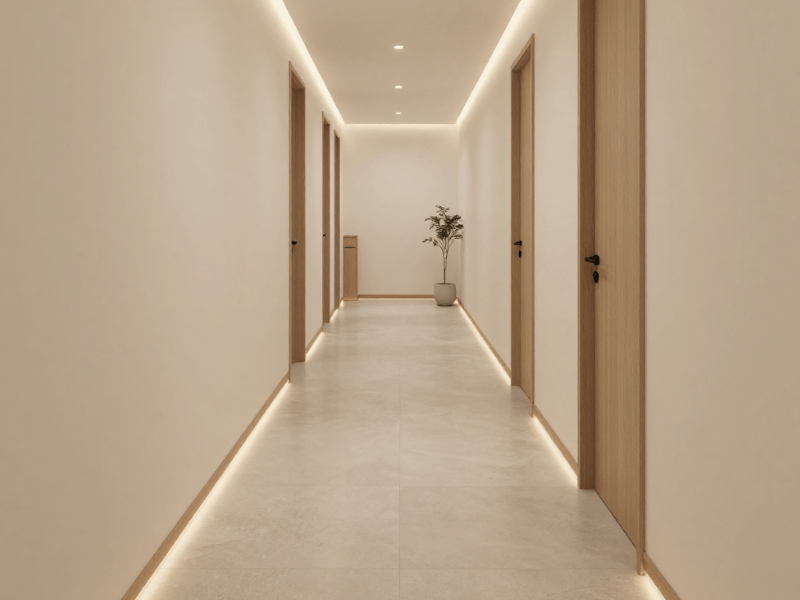
Hallways and staircases need dependable lighting, particularly when you're carrying bags or moving around at night. Suitable motion-activated lights can illuminate these spaces automatically.
Choose reliable detection, appropriate brightness, and sensible activation times. Colour-changing effects are unlikely to help when you're trying to find the next step.
How to Pick the Right Smart Lighting Setup
Before spending anything, decide what you actually want your lighting to do. The best upgrade isn't always the most advanced.
Check Your Existing Bulbs and Fittings
Start by identifying your existing bulb cap, voltage, and fitting type. Measure the available space because smart bulbs can be larger than standard replacements.
Also check whether the fitting allows your chosen bulb. Some enclosed fittings have restrictions that make certain smart bulbs unsuitable.
Check Wi-Fi, Bluetooth, and Smart-Home Compatibility
Wi-Fi lighting typically connects through your home network, while Bluetooth usually operates over shorter distances. Other systems use dedicated hubs to connect compatible devices.
Check whether your product supports your preferred app or voice assistant. Don't assume every smart product works with Alexa, Google Home, or your existing equipment.
Decide Whether You Need Dimming, Colour Changes, or Automation
Do you only want remote on/off control, or do you need more features? A smart plug suits basic switching, while a smart bulb offers brightness and colour adjustments.
If you only need switching, you probably don't need a bulb offering millions of colours. Meanwhile, compatible lighting scenes can be useful when you regularly change a room's atmosphere.
Consider Cost, Installation Effort, and Future Upgrades
Start with one lamp or room before investing in a larger system. Look for compatible products that let you add devices later.
Here's how the main options compare:
|
Upgrade |
Installation effort |
Best reason to choose it |
|
Smart bulb |
Low |
Control brightness or colours in existing fittings |
|
Smart plug |
Low |
Add remote switching to ordinary lamps |
|
Smart LED strip kit |
Low to moderate |
Add lighting without changing ceiling circuits |
|
Wireless control |
Depends on compatibility |
Operate supported lights without your phone |
|
Smart sensor |
Depends on type |
Activate compatible lighting automatically |
|
Smart switch |
May require an electrician |
Control existing fixed lighting circuits |
Installation effort varies by product and existing setup. Always follow the manufacturer's instructions rather than relying on general installation claims.
Common Mistakes to Avoid When Upgrading Smart Lighting
Smart lighting shouldn't leave you arguing with a light bulb. Most setup problems start with choosing the wrong products or skipping basic compatibility checks.
Buying a Smart Bulb That Does Not Fit
Two bulbs can share the same cap but have different dimensions. Check the available space, bulb shape, and enclosed-fitting restrictions before ordering.
Assuming Every Smart Product Works with Alexa or Google Home
A smart label doesn't guarantee support for your preferred voice assistant. Check the supported platforms and whether you need a separate hub.
Forgetting About Wall Switches and Power Supplies
Smart bulbs generally stop responding remotely when someone cuts their power at the wall. Consider how everyone in your household will operate them before replacing ordinary bulbs.
LED strips also need compatible drivers and controllers. Check voltage, connections, and supported functions before upgrading an existing installation.
Choosing the Wrong Lighting for the Location
Bathrooms, kitchens, and outdoor areas may expose fittings to moisture or water. Choose the right IP rating and follow the installation requirements for each location.
For example, don't install a standard indoor LED strip beside a shower. A colourful lighting effect isn't worth the risk of an electrical hazard.
When Does Smart Lighting Still Require an Electrician?
Many smart lighting upgrades are straightforward, but not every electrical job belongs on your DIY list. Replacing a compatible bulb is different from altering your home's fixed wiring.
Smart Switches, Dimmers, and Fixed Wiring
Replacing conventional wall switches or installing mains-connected dimmers may require circuit modifications. Some smart switches also need neutral wires or specific electrical arrangements.
A qualified electrician can check compatibility and complete the necessary work safely. Compatible wireless controls may offer an alternative without changing the existing switch.
When to Get Professional Advice
Seek professional advice if you're unsure about the connections, plan fixed wiring changes, or need to do work beyond the manufacturer's DIY instructions. Electrical work in bathrooms and certain other locations can also involve additional UK requirements.
Rules vary across the UK, so check what applies to your property. The goal isn't to avoid electricians at all costs, but to recognise which upgrades genuinely need them.

Start Your Smart Lighting Upgrade with Simple Lighting
You don't need to upgrade every light in your home to enjoy smarter controls. Start with the room or fitting that frustrates you most.
A compatible smart bulb could improve your bedroom lighting, while LED strip lighting kits could brighten your kitchen. Explore Simple Lighting's range and check the specifications to find suitable options.
Start with one practical upgrade, then expand your setup as your needs change. Sometimes, making your home smarter starts with something as simple as changing one bulb.


0 comments