







Motion sensor lights are designed to make life easier… until they don’t.
A light that refuses to turn on, stays illuminated all night or switches on every time a cat walks past can leave you wondering whether adding sensors to your lights was a smart move.
The good news is that many common motion sensor lighting problems are not caused by a failed fitting.
A lot of it is due to factors including poor installation, incorrect settings, and environmental conditions that can affect performance.
In this guide, we’ll cover practical motion sensor light troubleshooting. We’ll discuss issues such as PIR sensor problems, false triggers, poor detection range, and lights that simply will not switch on.
We will look at why these sensor light faults happen, what you can safely check yourself, and when it makes more sense to repair or replace the fitting.
How Motion Sensor Lights Are Supposed to Work
You can’t troubleshoot motion sensors if you don’t understand how they work.
Here’s what happens:
The sensor detects movement and then sends a signal to the light to switch on. Once movement stops, the light remains on for a preset period before switching off.
No matter what type of sensor you’re using, the idea is the same.
Here’s a little trivia: PIR sensors are the most common type you’ll see in domestic lighting installations.
Motion Detection
Despite being a motion sensor, a PIR (passive infrared) sensor doesn’t “see” movement. Instead, it detects changes in infrared radiation caused by body heat.
You walk through its detection zone, and it recognises the change in heat and triggers the light.
Microwave sensors are different. They use microwave signals to detect movement. They’re usually more sensitive than PIR sensors, which makes them ideal for commercial space installations.
You have to understand that every sensor has a detection zone. This is why positioning is crucial for any sensor. A sensor pointing at a wall will not be terribly useful, while one aimed directly at a busy road may become rather enthusiastic.
Automatic Switch-Off
After movement is detected, a timer controls how long the light stays on. Some fittings have adjustable timers you can set from a few seconds to several minutes. Once movement is detected again, this timer resets until no more movement is detected and the lights are automatically switched off.
Many motion sensor lights also have a lux setting. This determines how dark it needs to be before the sensor activates the light. This is how some lights remain off during daylight and automatically switch on when it gets dark.
Depending on the fitting, some also have a standby mode or additional lighting settings that you can configure to suit your lighting needs best.
Simple Detection Cycle Diagram

-
If the light is not switching on, the issue is likely somewhere between detection and activation.
-
If it will not switch off, the problem is usually related to detection, sensitivity, positioning, or the timer.
Problem #1: The Motion Sensor Light Won't Turn On
One of the blindingly obvious signs of your motion sensor lights not working? The lights aren’t on.
Possible Causes
1. The number one culprit is the lack of power. Check for tripped circuits, faulty connections, or a switched-off supply, as these can prevent the lights from working altogether.
2. You should also look for incorrect wiring, especially if the lights don’t switch on right after installation.
3. Does the light have a lux setting? That could also be preventing activation. If the sensor is configured to work in total darkness, it may switch the light on too late in the evening.
4. Check how the sensors are positioned as well. It could be pointing in the wrong direction, sitting behind an obstruction, or positioned too high or low.
5. A detection range that is too short can also mean you are simply not entering the sensor's active zone.
6. It may not be the sensor but the fitting or driver that has a fault.
How to Fix It
Here’s a checklist on what to do:
1. Check the power supply. Make sure the relevant circuit is switched on and has not tripped.
2. Test the light manually. Check whether the light operates without the sensor.
3. Adjust the lux setting. Test the sensor when it is dark enough for the setting to activate.
4. Check the sensor position. Make sure nothing is blocking the detection zone.
5. Test the detection range. PIR sensors are known to have issues with movement directly towards it. Try walking across the sensor’s field.
6. Reset the fitting. Some products can be reset by switching the power off and on or returning the settings to their defaults.
7. Check for faulty components. If the power and sensor settings are correct but the light still refuses to activate, the LED fitting, driver, or sensor may need attention.
If the issue is in the wiring, you may need to get the help of a qualified electrician. Don’t just go around poking wires
Problem #2: The Light Stays On All the Time
This is the complete opposite of the previous problem. Now you can’t turn the light off.
Why It Happens
1. The first thing I’d check would be the timer. It could be set to a very long duration (several minutes) rather than the typical few seconds.
2. Continuous movement can also keep resetting the timer. This is particularly common in hallways, kitchens, garages and driveways where people, pets, or vehicles regularly pass through the detection zone.
3. Check sensitivity settings since they can contribute too. Excessive sensitivity may allow even the slightest movements to trigger the sensor.
4. Installation height matters as well. A sensor mounted too low may detect more activity at close range.
How to Fix It
Start by reducing the timer duration. Then lower the sensitivity if your fitting allows you to do so.
Next, reposition the sensor so it doesn’t face a busy path or road (unless that’s what you’re trying to illuminate).
You can also reset the sensor and test it again. Give the light enough time to complete its switch-off cycle before deciding whether the problem remains.
Problem #3: False Triggers
You know what’s irritating (and possibly a little scary)? That’s when your motion sensor lights keep switching on when no one’s in the detection zone.
But it could be a number of different (not scary) things: a tree branch moves, and on it goes again; your cat comes rushing by; you walk past the window, and the garden light comes on.
What Causes False Activation?
For PIR sensors, common causes include:
-
Passing traffic
-
Cats, dogs, and other pets
-
Trees and bushes moving in the wind
-
Nearby heat sources
-
Air conditioning or ventilation outlets
-
Direct sunlight
-
Reflective surfaces
-
People moving outside the intended area
Preventing False Triggers
The best place to start is usually checking the sensor's position. You want to aim the sensor towards the area that needs detection.
If the fitting has adjustable sensitivity, reduce it gradually until unnecessary triggers stop. Choosing a sensor with a narrower detection angle can also help. Less area to monitor means fewer chances of detecting unwanted movements.

Problem #4: Poor Detection Range
POV: the sensor works, but only when you are practically standing underneath it.
Common Causes
1. You probably mounted the sensor too high. Check the manufacturer’s recommended height and adjust as needed.
2. Consider movement direction too. PIR sensors can often detect movement across their field more easily than someone walking directly towards the sensor.
3. Obstructions such as walls, cupboards, beams, and plant leaves can block the detection area.
4. A dirty lens can also obscure the sensor. This can typically happen in outdoor installations, where dust, pollen, and insects can cause dirt buildup.
5. Another possibility is that the sensor is not suited to the application. Picture a small PIR sensor installed in a large driveway. The sensor can’t possibly cover the space even with a wide detection area.
Solutions
Check the mounting position and adjust the sensor angle if possible. Make sure the detection zone covers the intended area.
Make a habit of cleaning the sensor every once in a while to remove any obstruction buildup.
If the required area is simply too large, consider upgrading to a sensor designed for greater coverage rather than trying to make a small sensor do a very large job. Also consider having multiple sensors cover a larger area.
Problem #5: Outdoor Motion Sensor Lights Behave Unpredictably
Indoor sensor lights have it easy. Outdoor sensors need to weather it out every single day. (Pun intended.)
Weather Conditions
Heavy rain, fog, extreme heat, and frost can affect sensor performance, especially when installed poorly or when using unsuitable fittings.
Even temperature changes can also influence PIR detection because the sensor is responding to differences in infrared radiation.
This is one reason choosing an appropriately rated outdoor fitting matters.
Nearby Objects
This was already covered in Problem #3, but trees, bushes, flags, and garden decorations can all cause unwanted triggers when moved by strong winds.
You’ll want to trim vegetation where necessary. And, if you can help it, maybe avoid positioning the sensor directly towards objects that move frequently?
Wildlife
It’s not just cats and dogs. Birds can occasionally activate outdoor sensors when they pass within the detection range. If foxes are common in the area, they could trigger as well.
Raising the sensor to the recommended mounting height and reducing sensitivity can help.
Problem #6: Motion Sensor Problems by Room
Each area of the home has different lighting needs, which means sensors can also behave differently.
Hallways
Delayed activation and poor positioning tend to be the common issues for hallway lighting.
A sensor mounted at one end may not detect someone approaching from the side until they are already halfway down the corridor.
If you have long hallways, consider having multiple sensors installed to provide better coverage than relying on a single sensor.
Staircases
Same problem as the hallway: having a single sensor monitor the entire staircase, but with the added risk of trips and falls. The best option is to have one on top and one at the bottom for best results.
Timer settings are also important. Too short and the lights may switch off before you can reach the top. Running up the stairs to try and beat the light is a rather unsafe activity. We do not recommend it!
For longer staircases, consider using multiple sensors or a lighting arrangement designed specifically for stair illumination.
Kitchens
Steam, heat, and movement around worktops may affect some sensor installations for your kitchen lights. Cupboards can also block the sensor's view.
Position the sensor so it can detect movement through the main working area without being obstructed.
Garages
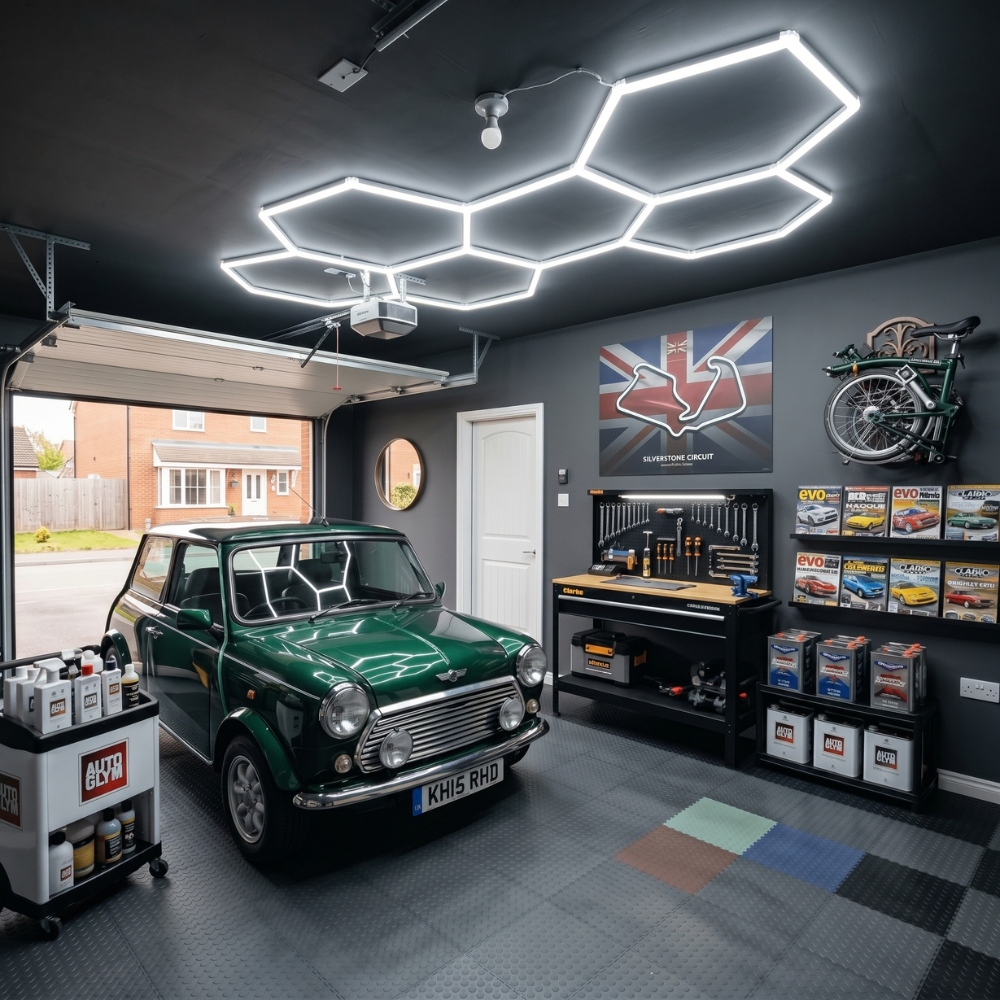
Vehicles, shelves, and other obstructions can block detection zones. Also check the fitting you get to see if it can withstand cold temperatures, as garages tend to be cold in certain seasons.
Position the sensor with the car, pedestrian route and storage layout in mind to maximise your garage lighting.
Gardens and Driveways
Poor placement and positioning are usually the main issues in these areas.
A driveway sensor aimed towards the road may detect passing pedestrians and traffic rather than just people approaching the property.
What to do:
Use the narrowest practical detection zone and position the sensor towards the entrance or path you actually want to illuminate.
If you want to use a wide detection zone for more coverage, just make sure that the range is within your intended space.
Troubleshooting Matrix: Common Sensor Light Faults at a Glance

Are the Sensor Settings Causing the Problem?
One of the things people do wrong when buying motion sensor lights is expecting they’re already optimised for their use. Most of the time? They’re not.
Sensitivity
How easily does your sensor respond to movement? Excessive sensitivity can cause false triggers, while too little sensitivity can result in missed movement.
Make small adjustments when you’re getting either issue.
Time Delay
This determines how long the light stays on after detecting movement.
A short delay can save energy but may become annoying in areas where people move slowly.
A longer delay is more convenient, sure, but keeps the light running for longer. That can defeat the energy efficiency benefits of motion sensor lighting.
Adjust the delay to how the room is used.
Lux Level
How dark does it need to be for your lights to activate? This setting controls that.
Normal operation: The sensor works at night but not during the day. Adjust the lux level if you need the fitting to operate in brighter conditions.
This is particularly useful since seasonal changes can make a setting feel different throughout the year.
Detection Range
Many factors affect this: sensor angle, mounting height, movement direction, and surrounding objects.
Do not assume maximum range is always best. In many cases, a controlled detection zone creates a much more reliable lighting system.

When the Problem Isn't the Sensor
Hey, it’s not always the driver’s fault!
1. Check the LED driver. That can fail as well, preventing the light source from operating even though the sensor is detecting movement correctly.
2. Or it could be the fitting itself. Damaged LED chips can result in flickering, reduced output, or complete failure.
3. If it’s an outdoor fitting, it could be due to being exposed to water. If moisture has entered a fitting, the issue may be with the installation, seals, or simply installing one without the proper IP rating. Always get at least an IP65 for outdoors!
This is why understanding how the whole system works is crucial, because it might not be the sensor at all that has problems, but the light itself.
Just remember that if you’re not a qualified electrician, it’s best to let the pros handle wiring problems.
Take that as a warning for obvious reasons.
When Should You Replace a Motion Sensor Light?
Sure, we’re all for repairing your light sensors if it’s possible. But sometimes replacement is the more practical option.
1. Consider the age of the fitting first. Older sensor lights may use less efficient technology, older LED components, or outdated sensor systems. In our books, that’s already a call for replacement, especially when it experiences persistent faults.
If troubleshooting does not seem to make the problems go away, replacement may save more time and money than continued repairs.
2. Water damage is another strong reason to replace your sensor or light. You’ll run into this problem often if you don’t use the fitting suited for the environment.
3. Also consider the cost of repair. Sometimes repairs can be more expensive than just getting a new one, or the cost doesn’t differ too much. A newer fitting may provide better long-term value.
Think about how technology has evolved too since the last time you initially installed the motion sensor lights. The more modern fittings can offer improved efficiency, better control, and more suitable detection technology.

How to Prevent Motion Sensor Lighting Problems
If you really want your lights to last longer, a little maintenance every once in a while can prevent many common motion sensor lighting problems.
Run through this quick check:
-
Clean sensor lenses with a soft cloth.
-
Test the full detection zone.
-
Check that furniture, shelving, or garden growth has not blocked the sensor.
-
Inspect outdoor fittings for signs of water ingress.
-
Review the lux setting as daylight conditions change throughout the year.
-
Check that vegetation has not grown into the detection area.
-
Test the timer and sensitivity settings.
-
Check if the fitting is still securely mounted.
-
Make sure the sensor is still aimed at your intended detection area.
-
Replace damaged or visibly deteriorated fittings.
If you really want to avoid problems in the future, make sure the installation is correct. Follow the manufacturer's recommended mounting height and positioning, and always choose the right IP rating.
Also ask yourself this: Do I have the right sensor technology installed? PIR sensors are great if it’s just for home lighting. But commercial and industrial settings may need a more sensitive sensor.
But if you ask me, getting high-quality LED products is really the first step to getting reliable motion sensor lighting.

Find Reliable Motion Sensor Lighting at Simple Lighting
More often than not, replacing lighting that has become unreliable is a better step than hanging on to it.
And if it’s high-quality sensor lighting you need, either for indoor or outdoor, you can head over to Simple Lighting to check our range of sensors and compatible LED lights.
You’ll get a wide range of options, from PIR sensor lights and motion sensor floodlights to LED wall lights and bulkhead lights. Indoor and outdoor applications? We've got it.
If you’re ready to upgrade your motion sensor lighting, check out our collection today!


0 comments